
Page redirection issues
Fix the issue where adding an item to the cart loads a separate cart page instead of opening the Llama Cart drawer.
If clicking Add to Cart sends shoppers to a separate cart page instead of opening the Llama Cart slide-out, the cause is almost always your theme's cart type setting. This page walks you through correcting it so the Llama Cart opens as expected.
When to use this guide
Use these steps when the Add to Cart button opens a different page instead of the Llama Cart sidebar. This happens when your theme's cart type is set to Page, which forces a full-page navigation to the cart instead of letting the Llama Cart drawer take over.
Make sure the Llama Cart is enabled before you continue. If it is not turned on yet, follow the Llama Cart setup troubleshooting guide first, then come back to this page.
Fix the cart type
Open your theme customizer
In your Shopify admin, go to Online Store > Themes, then click Customize on your active theme.
Find the cart type setting
In the customizer, open Theme settings > Cart > Cart type.
Choose Drawer or Pop-up notification
Select the Drawer or Pop-up notification option. Either choice lets the Llama Cart open in place instead of redirecting to a separate page.
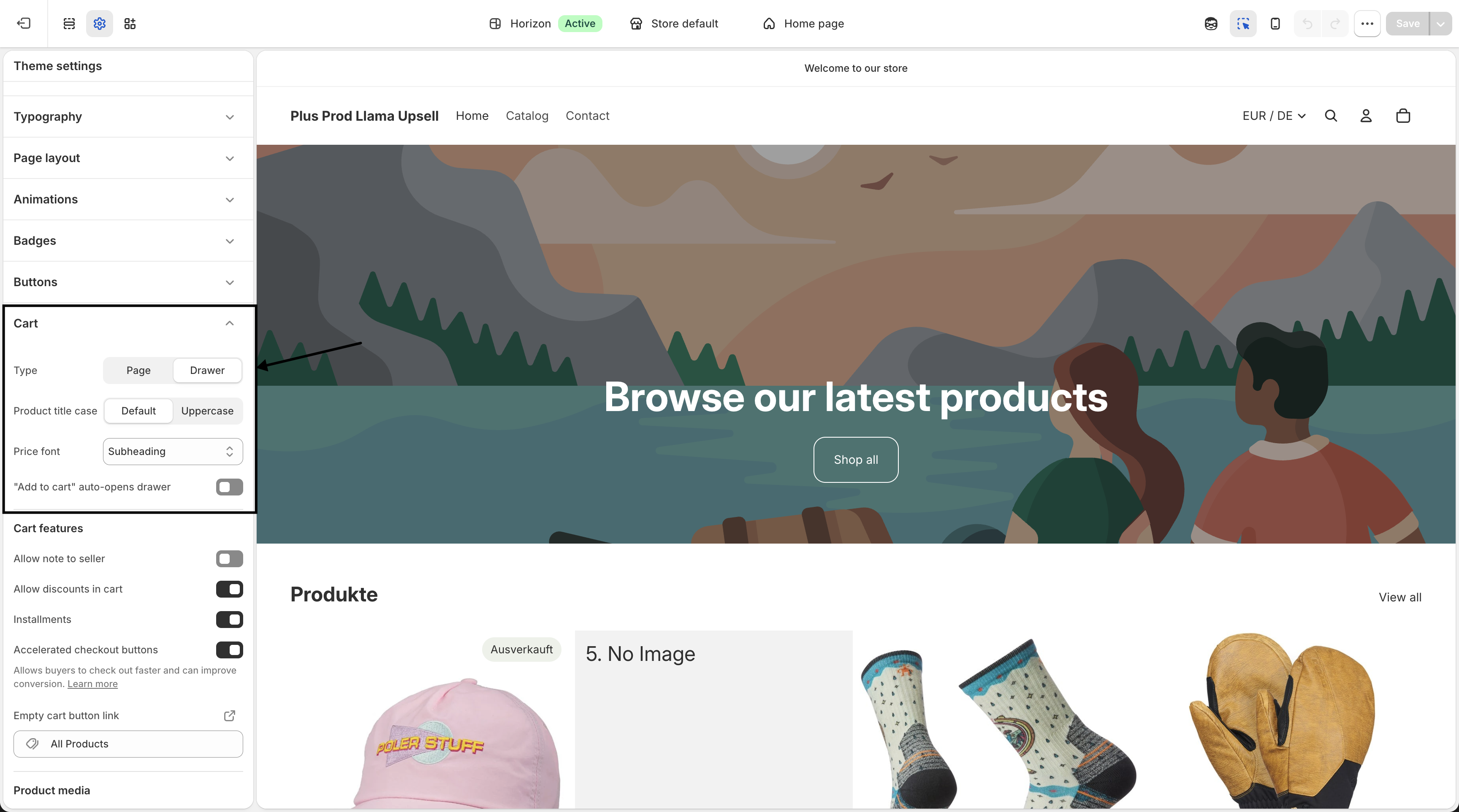
That's it — the redirection issue is fixed, and the Llama Cart will now open when shoppers add an item to their cart.
On both new and old themes, we recommend the Drawer or Pop-up notification cart type for the Llama Cart rather than the Page cart type.
Related
Restriction or limiter isn't blocking
Why a cart restriction or product limiter doesn't enforce — or fires when it shouldn't — and how to fix each cause.
Upsells not showing in Shop Pay
Why upsell blocks may be missing from Shop Pay checkout and how to enable them so offers show in both checkout flows.