
Auto-Add campaign
Automatically add a free product to a shopper's cart when their cart matches your rules, and learn how to set it up.
An Auto-Add campaign silently adds a product to the customer's cart when their cart matches the rules you set — for example, when the cart subtotal passes a threshold or a specific product is added. The offered product gets a 100% discount, so it lands in the cart for free.
An Auto-Add campaign adds one product, and each shopper gets only one free product per campaign. The added product always receives a 100% discount, making it free.
What Auto-Add does
Auto-Add automatically adds a product based on rules you define, such as cart amount, the products a shopper buys, or a promo code they enter. You can also schedule the campaign and target specific markets and customers.
It works seamlessly on both the Llama Cart and the Checkout page.
How to set it up
Create the campaign
From the Campaigns page, create a new Auto-Add campaign.
Choose the free product
Add the product you want to give away. Only a single product can be selected for an Auto-Add campaign, and the shopper receives just one of it for free. The selected product automatically gets a 100% discount.
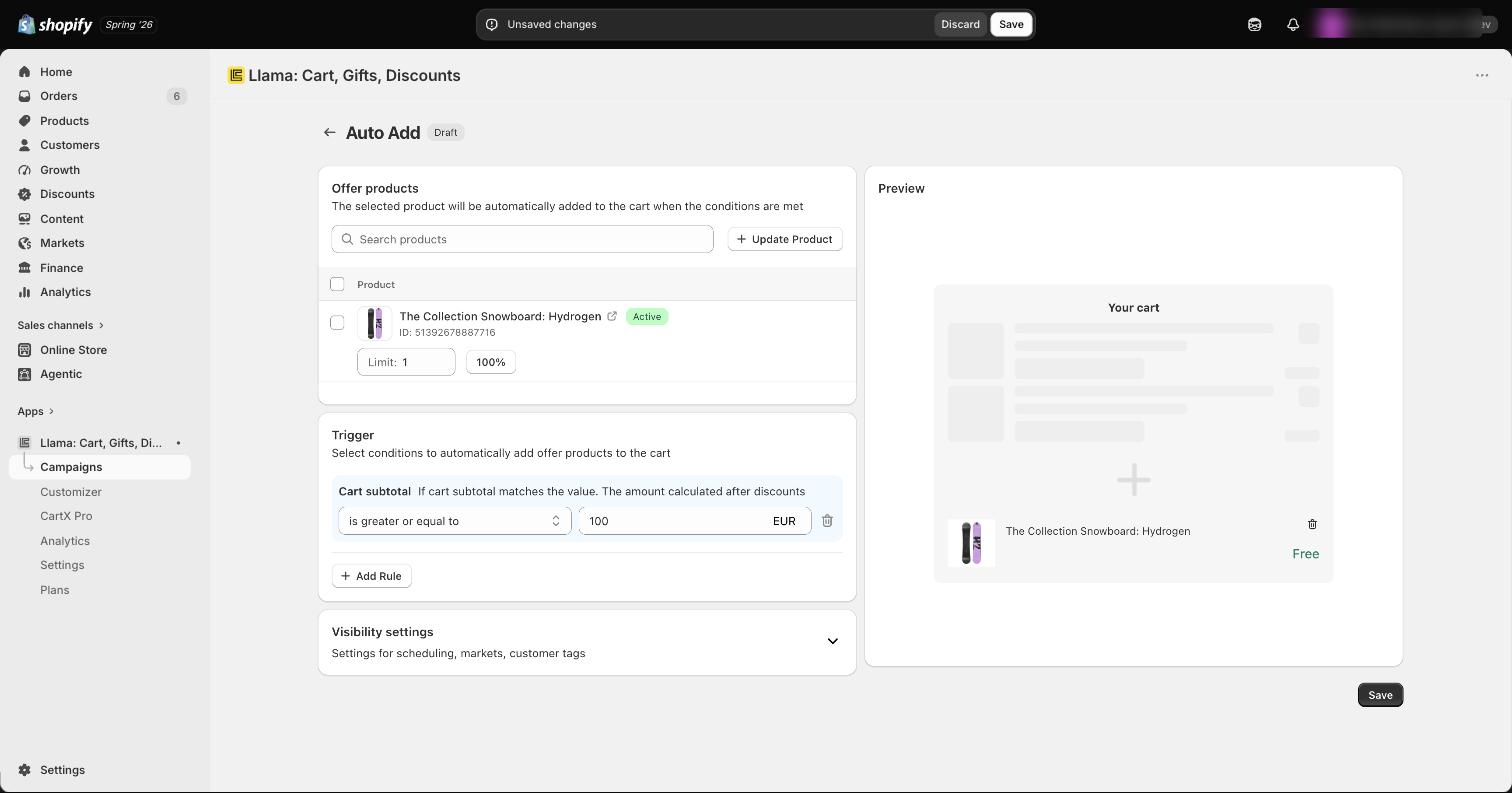
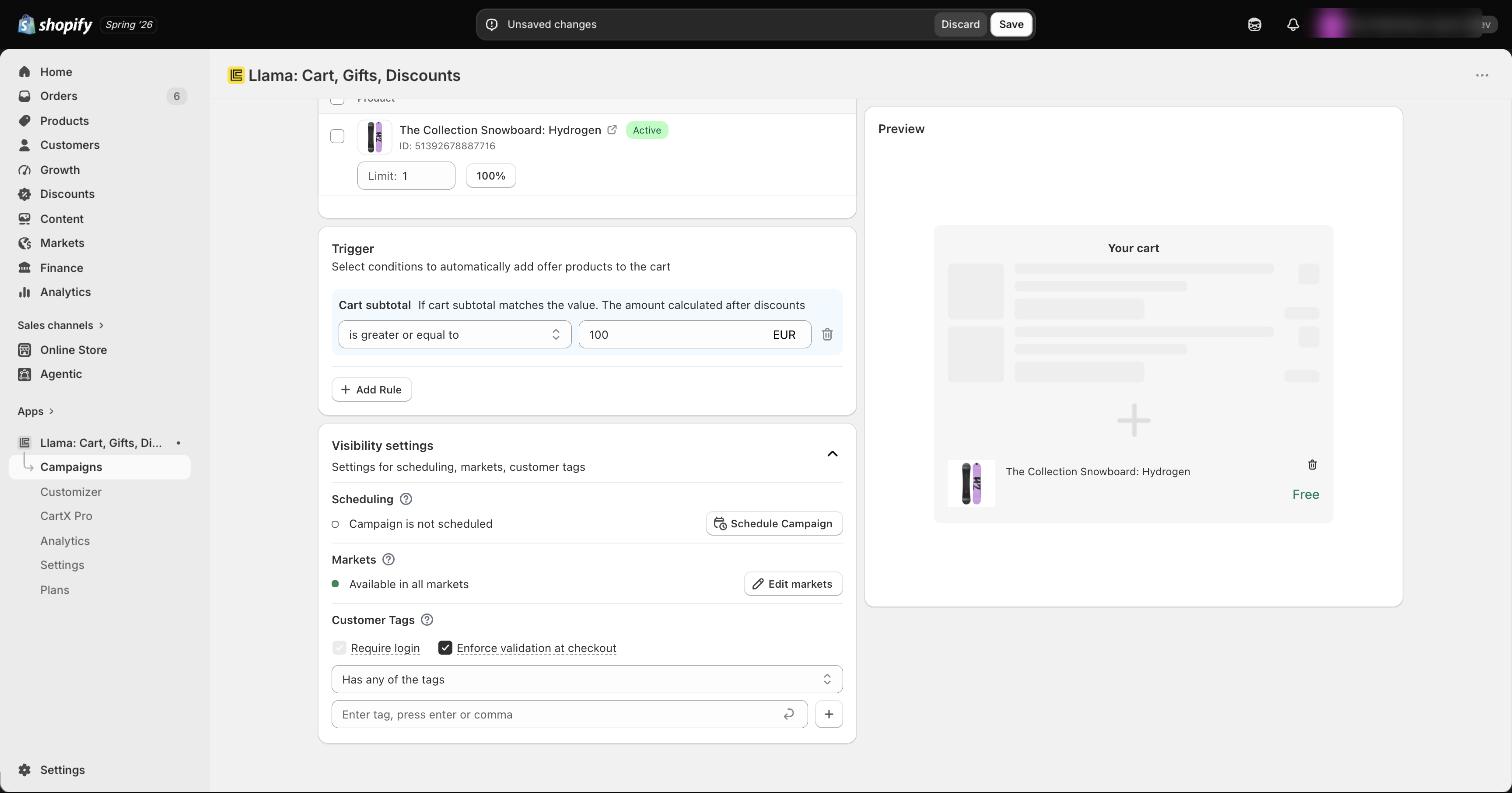
Set the rule conditions
Choose the rules that decide when the offer is made. The default condition is cart subtotal greater than or equal to 100 USD. You can change this or combine multiple rules to create a more targeted offer.
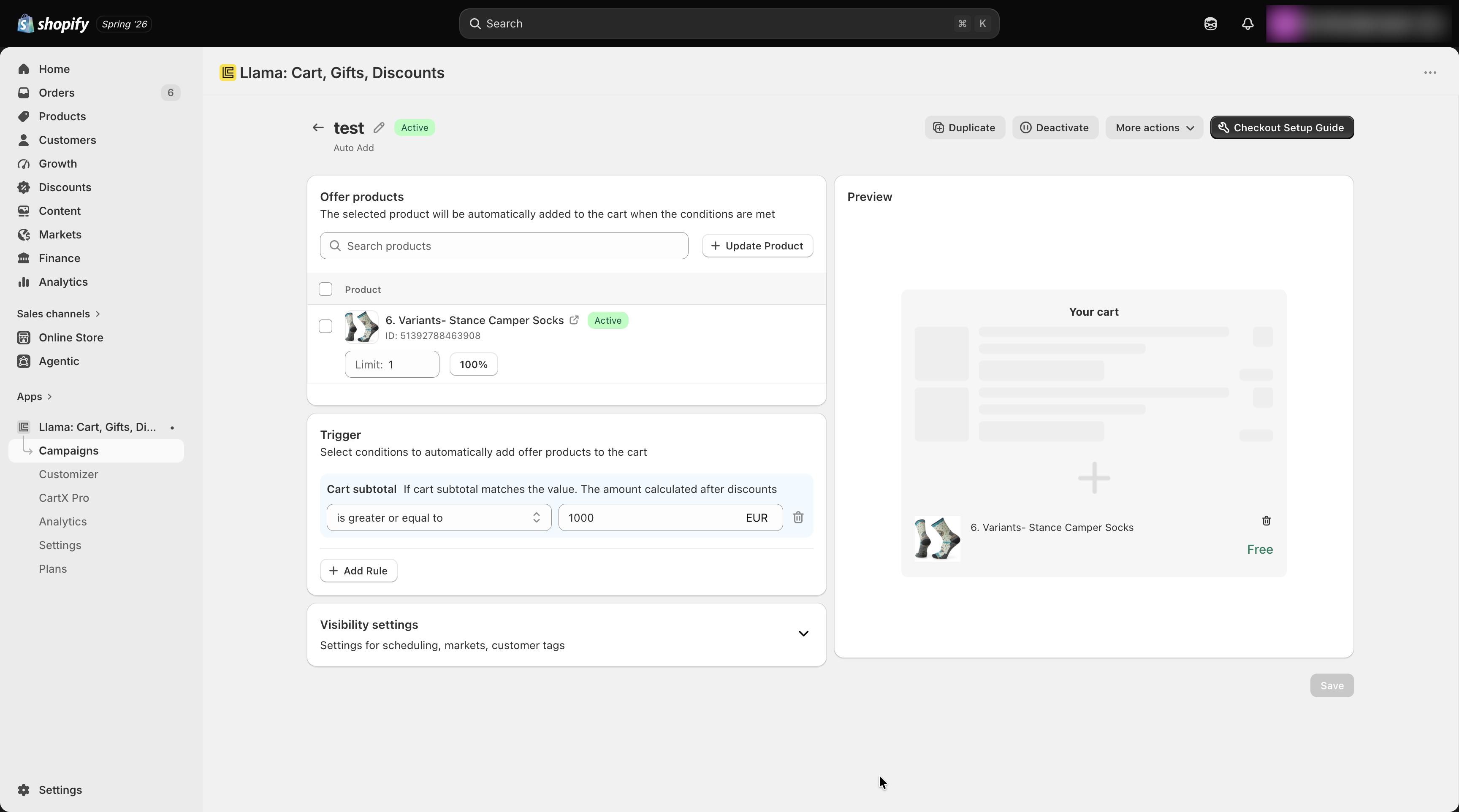
Adjust visibility settings
Set the visibility options to control when and who can see the campaign — for example, scheduling, target markets, and customer tags.
Save your settings
Save the campaign to apply your changes.
Enable it on the Checkout page
To make the campaign appear on the Checkout page, follow the guide in the top-right corner to complete the setup:
- Go to Checkout settings.
- Add app block to the checkout page.
- Enable the Allow app to block checkout option.
- Click Save to save the changes.
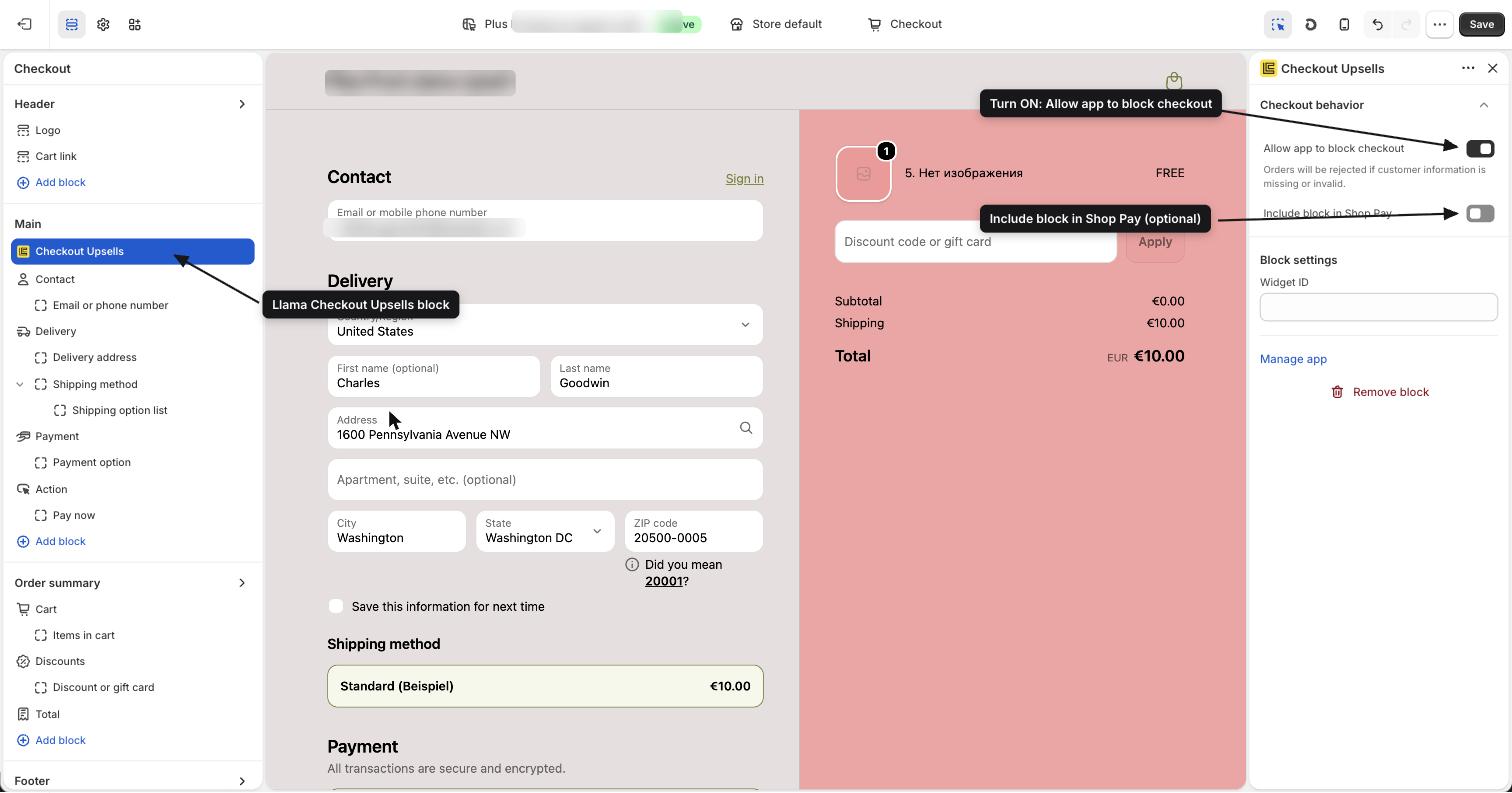
Rules and conditions
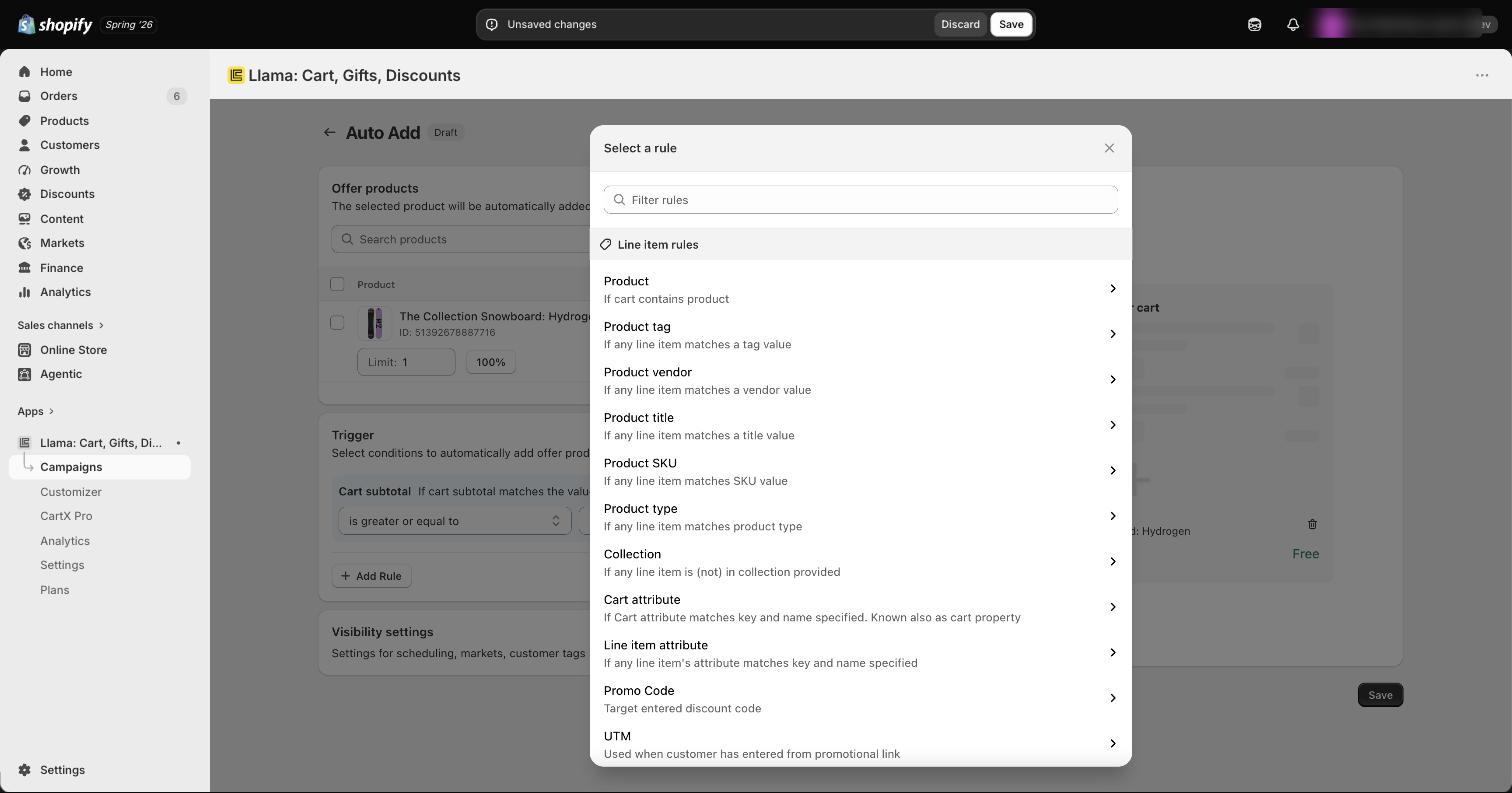
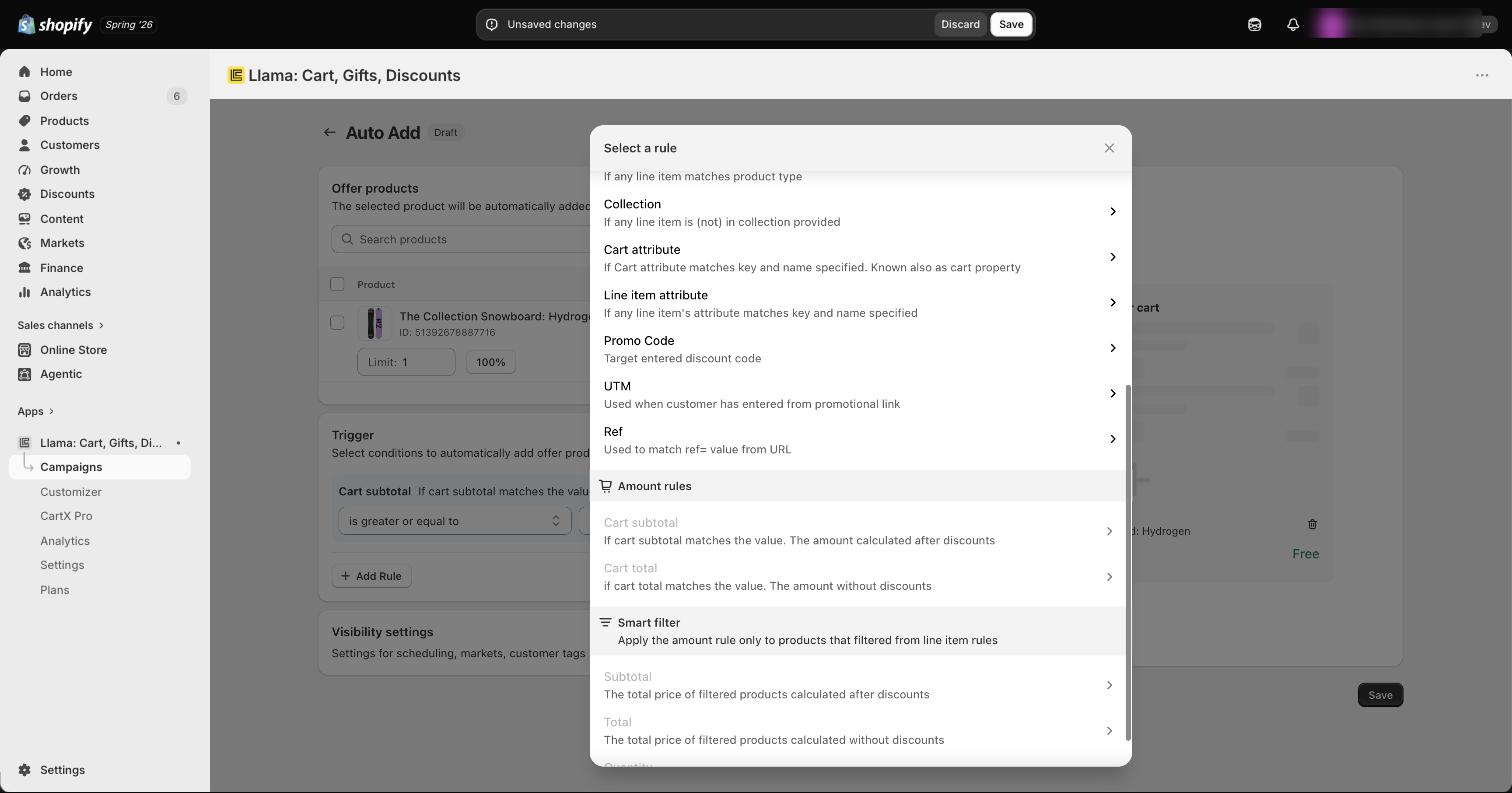
You can combine multiple rules to create highly customized offers. Auto-Add supports three groups of rules.
Line item rules
Trigger the offer based on what is in the cart:
- Specific product
- Product tag, vendor, title, SKU, or type
- Product collection
- Cart or line item attribute
- Promo code
- Promotional link (UTM)
- Ref value from the URL
Amount rules
Trigger the offer based on cart value:
- Cart subtotal
- Cart total
Smart Filters
Trigger the offer based on a filtered slice of the cart:
- Filtered subtotal or total
- Filtered quantity
Visibility settings
Control when the campaign runs and who it reaches:
- Scheduling — set both a start and an end date for the offer.
- Market-based promotion — target a specific market or multiple markets.
- Customer tags — offer exclusive deals to loyal customers using a tag filter.
Use cases
Auto-Add is flexible enough to power several popular promotions.
How the product is added and removed
Once the campaign is live, Llama keeps the free gift in sync with the cart automatically — you don't have to manage it line by line. A few behaviors are worth knowing:
- It's removed when the cart no longer qualifies. If the cart stops matching your rules (for example, the shopper removes the product that triggered the offer or drops below the subtotal threshold), the free gift is automatically taken back out of the cart.
- Only one is added, capped at the per-variant maximum. Llama adds a single gift and never lets its quantity exceed the maximum you set for that variant. If the quantity somehow climbs higher, it's clamped back down to the cap.
- Deleting the gift doesn't re-add it forever. If a shopper removes the free gift on purpose, Llama remembers it was already added and won't keep silently dropping it back in.
- Sold-out variants are skipped. Before adding, Llama runs a live availability check and skips any gift variant that isn't available for sale, so out-of-stock products are never forced into the cart.
Key takeaways
- An Auto-Add campaign offers only one product.
- The offered product receives a 100% discount, making it free.
- Multiple rules can be combined to create highly customized offers.
- You can target specific markets and customers.
- The campaign works seamlessly on both the Llama Cart and Checkout pages.
Related campaigns
Product Recommendations (Pre-Purchase)
Create and configure a pre-purchase Product Recommendations campaign to show product offers on your storefront.
How Auto-Add adds & removes products
A deep dive into Auto-Add runtime behavior — the add/remove lifecycle, quantity caps, added-item memory, availability gating, and edge cases.