
Campaigns overview
The campaign types in Llama Upsell & Cross-Sell, what each one does, and when to reach for it.
A campaign is the core building block of the app. It pairs an offer (the products you want to recommend or add to the cart) with conditions (the rules that decide when that offer shows up). When a shopper's cart matches a condition, the offer fires.
This page is a map of the campaign types. Each one appears in a different place and is suited to a different goal — use the cards below to jump to the full guide for the type you want.
Campaign types at a glance
Product recommendations
Embed a product widget in your storefront to cross-sell and upsell before checkout.
Auto-add
Silently add a product to the cart the moment the cart matches your rules.
Gift with purchase
Offer a free gift with a progress bar toward a spending threshold.
Post-purchase
Show a one-click offer right after the shopper completes their order.
Checkout upsells
Place a discounted add-on offer inside the Shopify checkout page.
When to use each type
Product recommendations (pre-purchase)
Embeds a product widget — a horizontal slider, a vertical list, or a scrollable list — directly in your storefront theme. The widget appears wherever you place the app block in your theme editor, so offers show while the customer is still shopping, before they reach checkout.
Reach for this when you want to cross-sell complementary products, show alternatives, or upsell based on what's already in the cart.
Auto-add
Automatically adds a product to the customer's cart the moment their cart matches your rules. There's no pop-up and no button — the product appears silently. If the condition stops being true (for example, the customer removes the triggering item), the auto-added product can be removed automatically as well.
Reach for this when you want free gifts that are always included, mandatory add-ons, or automatic samples.
Gift with purchase
Shows a gift picker widget that tracks progress toward a spending threshold. The widget has three states: one before the customer starts, one while they're building toward the goal, and one once they've unlocked the gift. The customer chooses which gift product they want, up to a quantity and variety limit you set.
Reach for this when you want a "Spend $75, choose a free gift" style promotion.
Post-purchase
Displays an offer on a dedicated page that appears immediately after the customer completes their order, before they see the thank-you page. The customer can accept — adding the product to their order — or decline. You can also configure a downsell offer that appears if they decline the primary one.
Reach for this when you want one-click post-checkout upsells or special offers reserved for customers who just purchased.
Checkout upsells
Places an offer widget inside the Shopify checkout page itself, letting customers add a product with a discount without leaving checkout. The customer can remove the offer if they don't want it.
Reach for this when you want last-minute impulse purchases or discounted add-ons at the point of payment.
Campaign status and plan limits
Every campaign is active, inactive, or draft. Only active campaigns are served to shoppers, and only active campaigns count toward your plan's campaign limit. Inactive campaigns are saved but not shown; draft is used while you're still creating the campaign in the editor.
If you try to activate a campaign once you've reached your plan's limit, it's saved as inactive and you'll see a notification. Downgrading your plan automatically deactivates the newest campaigns over the new limit.
| Plan | Active campaigns |
|---|---|
| Free | 1 |
| Starter | 5 |
| Growth | 10 |
| Pro | 25 |
| Enterprise | Unlimited |
| Custom | Unlimited |
Health warnings
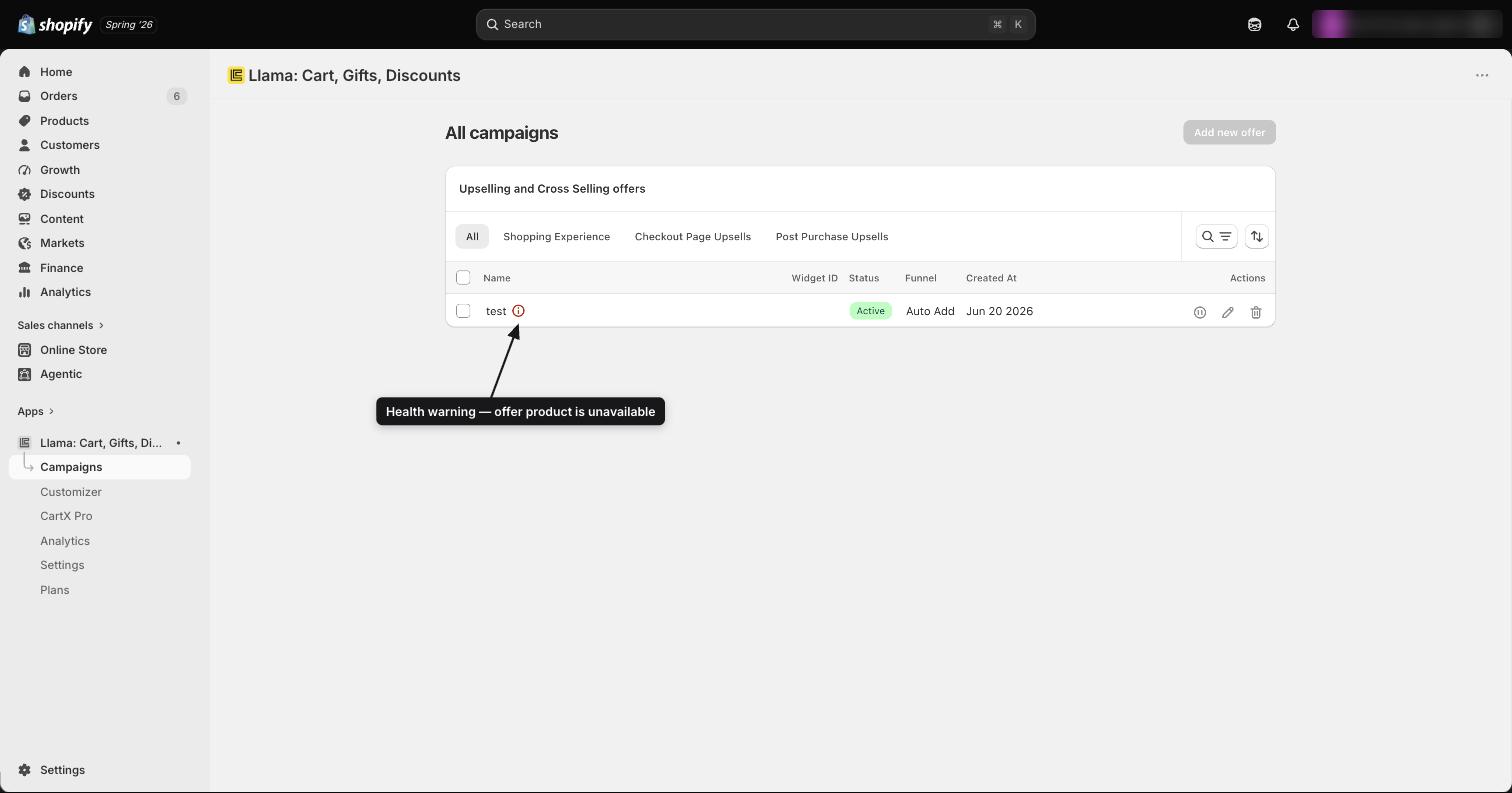
The app checks each active campaign for issues and shows a warning icon next to it in the campaign list if:
- Offer products are unpublished or sold out
- A referenced collection has been deleted
- A promo-code trigger references a disabled discount code
- No markets are selected (an empty market list shows to no one)
- The campaign's schedule window hasn't started yet or has already ended
Where to go next
Understanding the Campaigns dashboard
Tour the Campaigns dashboard — what each campaign shows, what the statuses mean, and how to create and edit campaigns.
Product Recommendations (Pre-Purchase)
Create and configure a pre-purchase Product Recommendations campaign to show product offers on your storefront.